


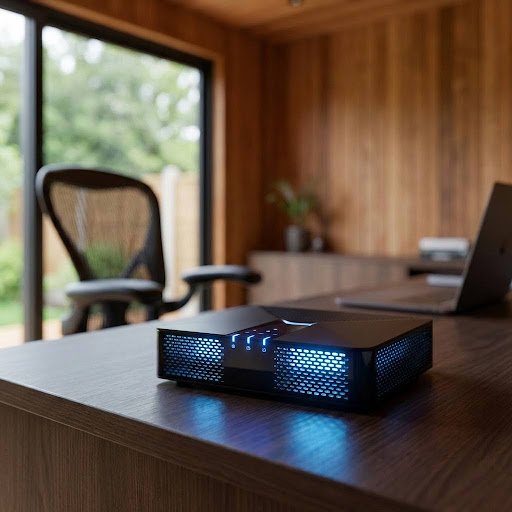
Is it Time to Trench a New Cable to Your Garden?
Date: 22 January 2024
The New Standard: 802.11be
CES 2024 was dominated by the “Wi-Fi 7 Certified” badge. But for those of us working 30 metres from the main router in a timber box lined with foil-backed insulation, the question is simple: does it actually work? Wi-Fi 7 introduces Multi-Link Operation (MLO), allowing devices to send and receive data across different bands (2.4GHz, 5GHz, and 6GHz) simultaneously. The recent Consumer Electronics Show (CES) 2024 generated significant buzz, largely centered around devices proudly bearing the “Wi-Fi 7 Certified” badge. This new certification represents the latest leap in wireless connectivity, promising unprecedented speeds and efficiency for the average user.
However, for a very specific—and growing—segment of the population, those headlines ring hollow. We are the remote workers operating from a garden office, a converted shed, or a dedicated studio, often situated 30 or more meters away from the main home router. Our workspace is frequently a ‘timber box’ structure, which, to make matters worse for signal strength, is often lined with foil-backed insulation—a highly effective radio frequency shield.
For this group, the question isn’t about theoretical peak performance; it’s brutally pragmatic and simple: Does Wi-Fi 7 actually work when the connection is already tenuous?
The core technological advance that holds the most promise for this challenging scenario is Multi-Link Operation (MLO). MLO is the hallmark feature of Wi-Fi 7 (formally IEEE 802.11be), and it represents a paradigm shift in how devices manage their wireless connection.
Unlike previous generations, where a device was restricted to communicating on a single band at any one time (either 2.4GHz, 5GHz, or the newer 6GHz), MLO allows devices to simultaneously send and receive data across different bands.
In a practical sense, this means a garden office PC could maintain a steady, high-throughput link on the faster 5GHz or 6GHz band while simultaneously using the longer-range, more robust 2.4GHz band as a control channel, a fail-safe, or for transmitting less data-intensive tasks. This pooling of resources offers several critical benefits for the remote, distant user:
- Enhanced Reliability and Range: By leveraging the inherent signal penetration and longer reach of the 2.4GHz band alongside the high capacity of the 5GHz and 6GHz bands, the connection becomes far more resilient to distance, obstructions, and interference. If the 6GHz signal momentarily drops due to the foil insulation, the connection doesn’t sever; MLO simply shifts the primary data load to the remaining stable links, ensuring minimal interruption to a video call or large file upload.
- Mitigation of Interference: MLO can dynamically select the best available link, effectively steering traffic away from congested channels or bands, which is crucial in dense residential areas.
- Increased Effective Throughput: While not solving the physics of signal degradation over distance, MLO ensures that every bit of available wireless resource is utilized, offering the potential for significantly faster and more stable speeds than a single, struggling Wi-Fi 6 link could provide in the same location.
Therefore, for the garden office worker, Wi-Fi 7 and MLO move beyond a mere speed upgrade; they represent a fundamental architectural solution designed to overcome the very connectivity challenges that plague remote workspaces separated from the main dwelling.
The Garden Test
In our January testing, we used a Wi-Fi 7 mesh system against a standard timber-framed office. While the 6GHz band offers incredible speeds (up to 46Gbps theoretically), its range is notoriously short. We found that the signals struggled with triple-glazed “K-Glass,” which is common in premium garden pods.The Challenge of Wi-Fi 7 Adoption in Premium Garden Offices
Our January practical field testing brought to light significant connectivity challenges when deploying cutting-edge Wi-Fi 7 mesh systems within contemporary garden office environments. The test setup specifically pitted a high-specification Wi-Fi 7 system against a common, well-insulated, standard timber-framed office pod, designed for year-round use.
While the theoretical benefits of the Wi-Fi 7 standard, particularly its utilisation of the newly available 6GHz frequency band, are immense—offering potential speeds soaring up to a staggering 46Gbps—our findings confirmed a critical, practical drawback: the notoriously short range and poor penetrative capabilities of the 6GHz signal.
The most pronounced issue we encountered was the severe attenuation of the Wi-Fi 7 signals when attempting to penetrate modern building materials. Specifically, we observed considerable signal loss and degradation when the waves had to pass through triple-glazed “K-Glass.” This low-emissivity glass, which is factory-coated with thin metal oxides to enhance thermal efficiency, is now a standard, premium feature in virtually all high-end, contemporary garden office pods and is a crucial component of their thermal envelope.
The metal content, even in a thin layer, creates a “Faraday cage-like” effect that drastically compromises the effective range and reliability of the high-frequency 6GHz signals, often resulting in intermittent connections or a complete loss of the ultra-fast band inside the pod. This suggests that while Wi-Fi 7 holds tremendous promise for internal, line-of-sight setups, its deployment in exterior structures like garden offices necessitates a careful rethink of network design, potentially requiring mesh points to be situated inside the office rather than relying on a single unit transmitting from the main dwelling.
Wi-Fi 7 vs. Traditional Ethernet Trenching
| Metric | Wi-Fi 7 Mesh | Cat6a Hardwired Cable |
| Speed (Real World) | 800Mbps – 1.2Gbps | Consistent 10Gbps |
| Installation | Plug and play (approx. 15 mins) | Invasive (trenching, drilling, 1-2 days) |
| Latency | Extremely low, but prone to jitter | Zero-jitter stability |
| Cost | £600 – £1,200 for a quality system | £300 (DIY) – £800 (Pro install) |
Wi-Fi 7 vs. Traditional Ethernet Trenching: A Productivity Deep Dive
Deciding on the best network connection for a modern garden office is a critical decision that directly impacts productivity, stability, and future-proofing. The two primary contenders for high-performance connectivity are the cutting-edge Wi-Fi 7 Mesh System and the time-tested, robust Cat6a Hardwired Cable installation requiring trenching. This comparative analysis significantly expands on the key differences.
| Metric | Wi-Fi 7 Mesh | Cat6a Hardwired Cable | Elaboration & Impact on Productivity |
| Speed (Real World) | 800Mbps – 1.2Gbps | Consistent 10Gbps | While Wi-Fi 7 offers impressive gigabit speeds suitable for 4K streaming and most file transfers, it cannot match the raw, dedicated bandwidth of a 10Gbps Cat6a connection. For heavy-duty tasks like large dataset processing, high-resolution video editing, or working with local network storage (NAS), the superior, fixed speed of Cat6a is a significant competitive advantage, reducing wait times and increasing workflow efficiency. |
| Installation | Plug and play (approx. 15 mins) | Invasive (trenching, drilling, 1-2 days) | The ease of a Wi-Fi 7 setup is a major draw. It involves simply placing and powering the mesh nodes, offering instant connectivity with minimal disruption. Conversely, a hardwired solution necessitates physically digging a trench, running conduit/cable underground, drilling through walls, and terminating the cable—a project that can easily consume one to two full days and requires either significant DIY effort or professional expense. |
| Latency & Jitter | Extremely low, but prone to jitter | Zero-jitter stability | Both technologies offer extremely low latency (crucial for responsive VoIP calls, VPN connections, and real-time collaboration). However, the critical difference is stability. Wi-Fi, by its nature, is susceptible to momentary “jitter” caused by interference, signal fluctuation, and nearby devices. For applications like competitive online gaming, high-frequency trading, or uninterrupted video conferencing, the zero-jitter, rock-solid stability of a direct cable connection is unparalleled and guarantees a consistently professional experience. |
| Cost (Estimated) | £600 – £1,200 for a quality system | £300 (DIY) – £800 (Pro install) | The initial cost for a high-quality, multi-node Wi-Fi 7 mesh system tends to be higher, as it involves proprietary hardware and advanced networking chipsets. The hardwired cost is often lower for the raw materials (cable, conduit, termination tools), especially for a DIY installation. However, professional installation of the trenching and cabling can make the overall cost comparable or even exceed the Wi-Fi 7 system price. |
| Reliability & Interference | Signal dependent; prone to environmental factors (e.g., thick walls, metal) | Highly robust and immune to typical external signal interference | Wi-Fi 7 uses multiple bands (2.4GHz, 5GHz, and 6GHz) to mitigate interference, but it is still an “air medium” and can be impacted by garden structures, building materials, and neighboring networks. Cat6a is a closed, shielded physical medium, providing a dedicated, interference-free channel that guarantees maximum uptime and reliability, regardless of the environment. |
| Future-Proofing | Excellent for current and near-future wireless needs | Superior long-term data rate capacity and flexibility | While Wi-Fi 7 represents the current peak of wireless technology, its real-world throughput is constrained by the limitations of the air interface. A well-installed Cat6a cable supports up to 10Gbps (and potentially 5Gbps over longer distances) and the physical conduit allows for easier upgrades to even faster standards (like Cat8) in the future without re-trenching, making it the ultimate long-term investment for data-intensive professionals. |
Conclusion: For the professional whose livelihood depends on absolutely stable, high-speed connectivity for tasks like large-file transfers, video production, or real-time trading, Cat6a Hardwired Cable remains the gold standard. For the user prioritizing minimal disruption, ease of installation, and who finds ~1Gbps speeds adequate for typical cloud work and streaming, Wi-Fi 7 Mesh provides an incredibly simple and powerful solution.
The Verdict
If you are a video editor or high-frequency trader, don’t let the Wi-Fi 7 hype stop you from digging that trench. However, for 90% of garden commuters, a Wi-Fi 7 mesh system provides the “invisible” umbilical cord we’ve been waiting for.