


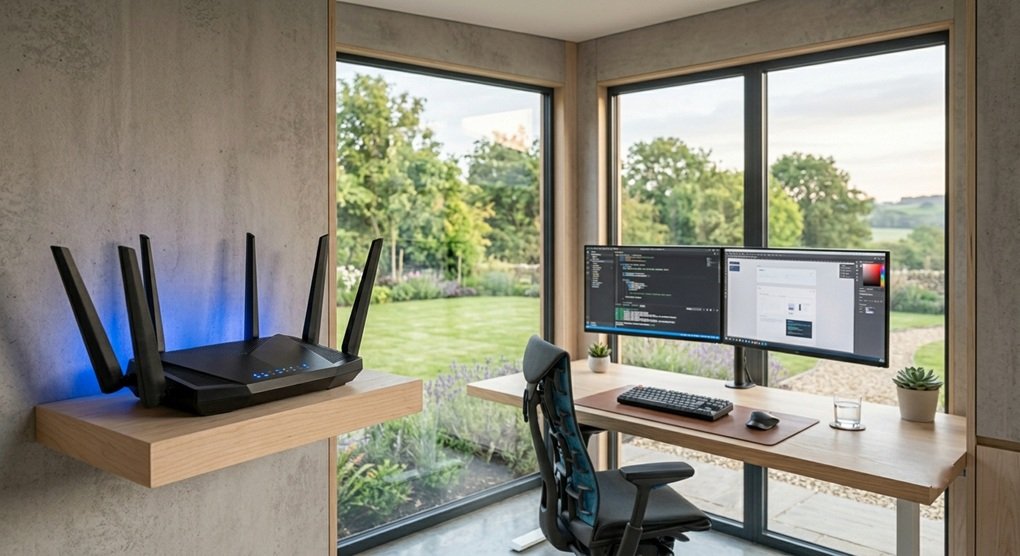
Enterprise-Grade Tri-Band Routing for High-Demand Home Outbuildings
When your digital business or creative agency is powered entirely from a detached garden workspace, the domestic router sitting under the stairs in the main house is no longer an acceptable access point. For professionals managing massive file transfers, ultra-high-definition video rendering, and constant cloud synchronization, network latency isn’t just an inconvenience—it’s a direct drain on billable hours.
Furthermore, high-performance timber pods built with foil-backed insulation layers often act as unintended Faraday cages, severely degrading standard wireless signals attempting to travel from the main property. To maintain an uncompromising digital pipeline, installing a dedicated, enterprise-grade tri-band network router directly within your studio is essential.
Let’s evaluate the operational impact, technical architecture, and long-term business value of deploying next-generation wireless infrastructure in your home office footprint.
The Architecture of the 6GHz Band: Clearing the Spectrum
Traditional wireless setups operate on the crowded 2.4GHz and 5GHz frequencies—the same bands utilized by every smartphone, smart television, and microwave oven in your neighborhood. The introduction of the uncrowded 6GHz radio band represents a fundamental shift in remote network stability.
- Zero Signal Congestion: The 6GHz spectrum opens up wide, pristine channels completely free from legacy device interference. This ensures your connection remains completely unbothered by suburban network noise.
- Ultra-Wide 320 MHz Channels: Next-generation architecture doubles the available channel width compared to older standards. This expanded bandwidth acts like adding extra lanes to a motorway, allowing vast blocks of data to move simultaneously without creating bottlenecks.
- Multi-Link Operation (MLO): Premium enterprise hardware enables your workstation to connect across multiple wireless bands at the exact same time. If one frequency experiences sudden local interference, the data stream instantly switches to another without a millisecond of drop-out, delivering near-zero latency during critical live client presentations.
Hardware Topology: Hardwired Backhaul vs. Independent Routing
When establishing professional connectivity at the end of the garden, how you link the outbuilding back to your primary internet service provider (ISP) entry point dictates your baseline speed.
The Gold Standard: Dedicated Fiber or Cat6A Wired Backhaul
This approach involves running a physical, armored data cable through an underground trench directly from the main house router into a dedicated enterprise access point inside the studio.
- Pros:
- Guarantees a flawless, symmetrical multi-gigabit data pipeline completely unaffected by distance, weather, or thick timber walls.
- Allows you to fully utilize the ultra-fast speeds of modern full-fiber broadband packages right at your desk.
- Keeps the wireless spectrum inside the pod completely open for your active work devices and hardware arrays.
- Cons:
- Requires a higher upfront installation cost and manual labor to lay the underground conduit across your lawn.
- Disrupts existing landscaping or patio areas during the initial cable-laying phase.
The Alternative: High-Performance Multi-Gigabit Mobile Routers
This deployment utilizes a standalone, commercial-grade cellular router mounted inside the studio, relying on an independent SIM card array to bypass the main property’s network entirely.
- Pros:
- Completely decouples your business operations from the main house network, ensuring that family bandwidth consumption never slows down your workday.
- Serves as an instant, zero-excavation installation solution for properties where running underground cables is physically impossible.
- Offers an ironclad business continuity plan; if a local utility strike cuts the physical landlines on your street, your cellular connection keeps your business online.
- Cons:
- Slower data speeds and variable latency numbers compared to a direct, physical fiber connection.
- Incurs an ongoing monthly commercial SIM subscription cost that must be added to your operational ledger.
The Capital Investment Verdict
An enterprise routing setup requires an upfront investment of £400 to £800 for the hardware alone, separate from any physical data cabling or professional installation costs. However, from a corporate perspective, the benefits are clear.
By eliminating dropped video calls, sluggish cloud backups, and local signal interference, you are actively protecting your professional output. Because this infrastructure is required to run your daily business operations from home, the entire expenditure can be fully claimed against your corporation tax under capital allowances, making it a highly tax-efficient upgrade for solo practitioners and home-based company directors.